 View source
01
Explore by folder
Start with a live storage map, then drill down through the folders taking up the most room. Eight views keep the same scan understandable from different angles.
Map · list · treemap · inspector storagedaddy
Open source · Apple silicon · macOS 14+
A Mac storage analyzer for developers.
Find bulky builds, caches and AI sessions.
Review what goes. Get back to building.
Signed & notarizedNo account needed100% local scanning
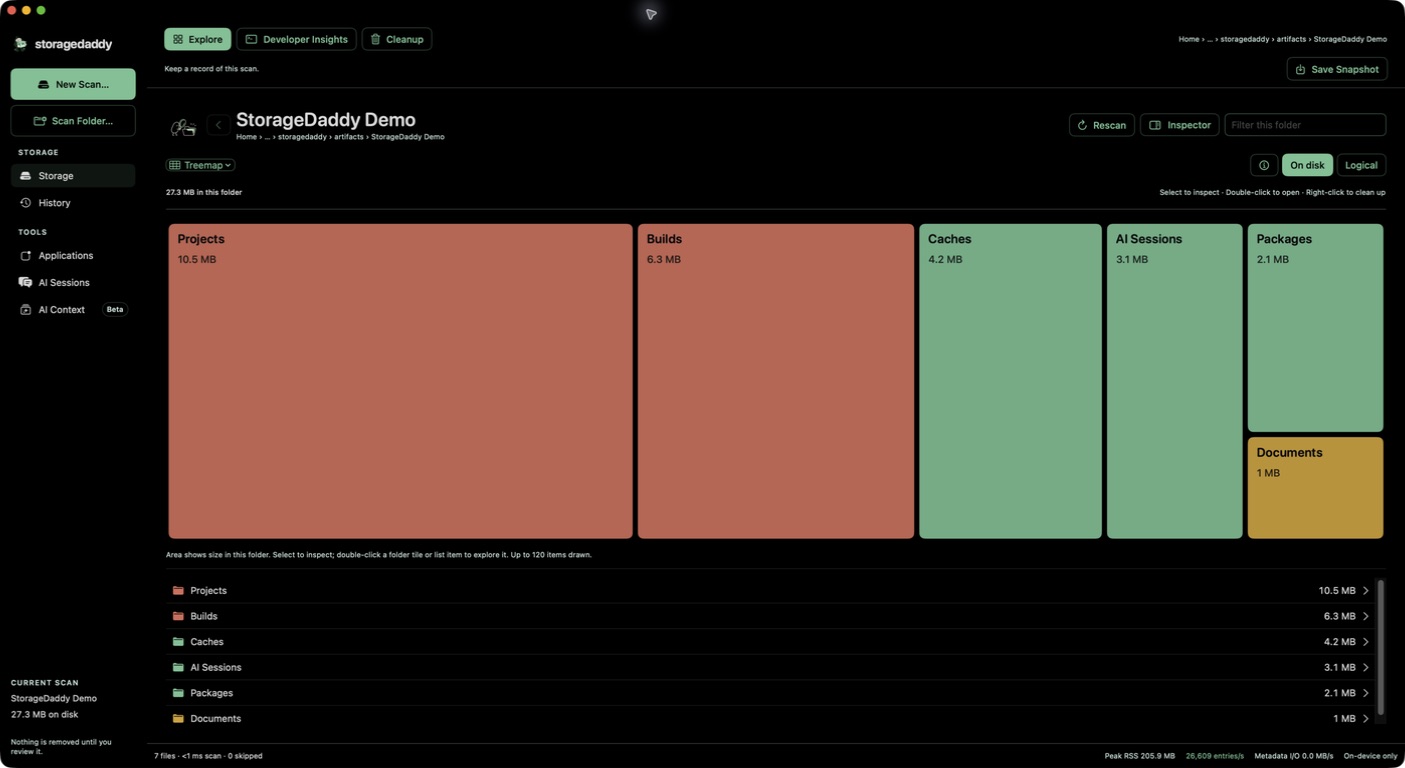
Find the big folders. Explore what’s inside. Review what can go.
A map, then a plan
storagedaddy turns a noisy disk into a readable workspace, with the detail developers actually need.
Start with a live storage map, then drill down through the folders taking up the most room. Eight views keep the same scan understandable from different angles.
Map · list · treemap · inspectorSurface caches, node_modules, build output, modules across your stacks, and AI session storage in one focused Developer workspace.
Add candidates to a review queue, check your choices, and move them to Trash only after you confirm.
Preview recognized Codex and Claude sessions, filter by date, and export a compact local archive before cleanup.
 Archives are intentionally lossy · originals remain
Also inside
The calm way through a full disk
storagedaddy keeps discovery and deletion separate, so a useful answer never depends on a risky click.
Try the free betaChoose your disk or a folder. Permission details stay visible when access is limited.
Follow large folders, developer patterns, applications, and AI session storage with clear totals.
Review flagged caches and files, then confirm what should move to Trash.
For the work between the work
When old AI sessions are taking space, save a compact, date-filtered local export to Desktop or another folder. storagedaddy validates the ZIP and content hash, then asks you to review verified originals before any separate, confirmed Trash action.
Read the archive detailsBuilding in the open
See who’s here right now and how people found storagedaddy.
Website traffic only. Live sessions refresh automatically; they aren’t unique people or app installations. The Mac app sends no telemetry.
A few clear answers
Scanning, previews, and archive validation run locally on your Mac. The app has no file uploads or app telemetry. Sparkle checks the update feed over HTTPS and downloads updates when you choose to install them. The website measures page visits, traffic sources, interaction patterns and download-button clicks with App Health and Microsoft Clarity, separately from aggregate download requests. Anonymous browser identifiers recognize repeat visits; website analytics do not receive your disk contents or app activity. Download counts do not prove installation or use.
macOS may limit what an app can see. storagedaddy works with the access you grant and explains when a folder could not be scanned. Full Disk Access is optional, but broader access gives a more complete map.
No. You can select recognized caches for review, and moving anything to Trash requires a separate confirmation. Trash is still yours to empty.
Recognized Codex and Claude sessions can be exported as a compact, date-filtered reading and analysis archive. The ZIP and content hash are validated before you review originals. It is intentionally lossy: tool payloads, attachments, and reasoning may be omitted, and the result cannot resume the original session. Originals stay in place until a separate cleanup confirmation.
Download the DMG, open it, then drag storagedaddy into Applications. Open the app and start with Scan My Caches or choose one folder. This beta supports Apple silicon Macs with macOS 14 or later; Intel Macs are not supported.
A scan reports readable files in the area you chose. Protected folders, snapshots and shared APFS storage can make this different from whole-volume usage. On-disk allocation is not a promise of reclaimable space. Start with a folder scan on Macs with limited memory.
Everyone who downloads during early access gets all future versions free forever. There is no trial expiry, account, checkout or subscription. The published source remains available under the MIT license. Read the code, report an issue, or contribute on GitHub. Third-party libraries and provider artwork retain their own terms; see the repository notices.
Free forever, including future versions
Apple silicon · macOS 14+ · No account